Quick Summary
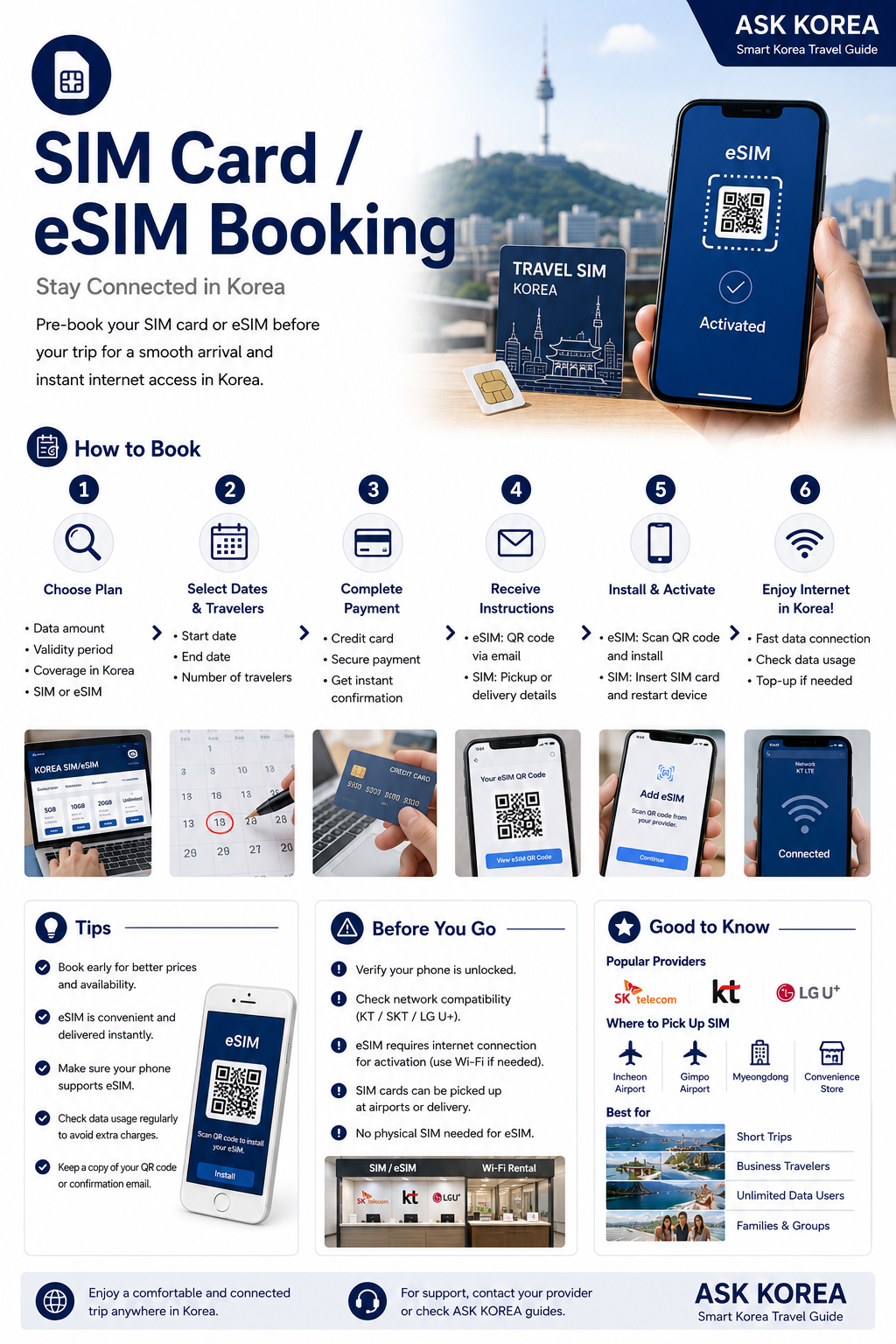
Popular carriers include SK Telecom, KT, and LG U+. eSIM is delivered instantly by email; a physical SIM can be picked up at the airport or delivered. ASK KOREA does not sell travel products — we simply provide helpful resources to assist with your trip planning.
Key takeaways
- Verify your phone is unlocked and supports eSIM if choosing that option.
- Choose data amount, validity period, and coverage.
- eSIM: receive QR code by email — scan to install and activate.
- SIM: pick up at Incheon or Gimpo Airport, Myeongdong, or a convenience store.
- eSIM activation needs an internet connection — use Wi-Fi if needed.
- Best for short trips, business travelers, families, and unlimited data users.
Why It Matters
Having internet access from the moment you land makes navigation, translation apps, and transportation booking much easier during your trip.
Short trips
A pre-booked SIM or eSIM saves time compared to arranging connectivity after arrival.
Business travelers
Reliable data access supports calls, maps, and work on the go.
Families
Multiple devices can be set up in advance so everyone stays connected.
ASK KOREA Tip
Plan in this order: Flights → Accommodation → Transportation → Attractions → Food.
Step-by-Step Guide
- 01
1. Check your phone
Verify your phone is unlocked, and check whether it supports eSIM if you're choosing that option.
- 02
2. Choose your plan
Select data amount, validity period, and coverage that match your trip length.
- 03
3. eSIM: install by QR code
You'll receive a QR code by email — scan it to install and activate the eSIM.
- 04
4. SIM: choose a pickup location
Pick up your physical SIM at Incheon or Gimpo Airport, Myeongdong, or a convenience store.
- 05
5. Activate with an internet connection
eSIM activation needs an internet connection — use Wi-Fi if needed before your SIM is active.
Important Tips
Check eSIM compatibility
Verify your phone is unlocked and supports eSIM before choosing that option.
Activate eSIM with Wi-Fi
eSIM activation needs an internet connection — use Wi-Fi if needed.
Choose a convenient SIM pickup spot
Incheon or Gimpo Airport, Myeongdong, or a convenience store.
Match your plan to your trip
Choose data amount, validity period, and coverage based on trip length.
ASK KOREA doesn't sell travel products
These are simply helpful resources to assist with your trip planning.
Common Mistakes
Don't
Choosing eSIM without checking phone compatibility.
Do
Verify your phone is unlocked and supports eSIM before booking.
Don't
Trying to activate an eSIM with no internet access.
Do
eSIM activation needs an internet connection — use Wi-Fi if needed.
Don't
Not planning where to pick up a physical SIM.
Do
Pick up at Incheon or Gimpo Airport, Myeongdong, or a convenience store.
Frequently Asked Questions
Which carriers are popular in Korea?+
SK Telecom, KT, and LG U+ are popular carriers.
How is an eSIM delivered?+
eSIM is delivered instantly by email as a QR code, which you scan to install and activate.
Where can I pick up a physical SIM?+
At Incheon or Gimpo Airport, Myeongdong, or a convenience store.
Official Resources
Ask AI About This Topic
Have a question about SIM Card & eSIM — Stay Connected in Korea.?
Get instant, locally-checked answers from the ASK KOREA AI. Ask anything from specific edge cases to itinerary decisions.
"Which is better for a 7-day trip to Korea — a physical SIM card or an eSIM, and which provider should I use?"